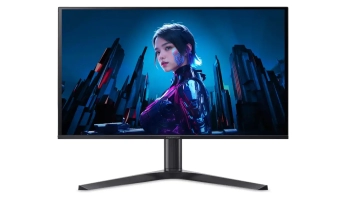
ASUS has quietly expanded its ROG Strix lineup with a monitor that pushes resolution and refresh rate into genuinely new territory. The ROG Strix XG27JCG delivers 5K resolution at 180Hz on a 27-inch panel, marking the first time a gaming monitor has combined these specifications. When you need competitive edge over visual fidelity, its dual-mode functionality drops to 1440p and unlocks 330Hz refresh rates.
Currently listed on ASUS’s Hong Kong site for HKD 6,500 (approximately $835 or £625), the XG27JCG hasn’t received a formal global launch announcement yet. Industry observers expect a proper unveiling at CES 2026 in January, though some Hong Kong retailers are already accepting pre-orders with December 31 availability dates.
Breaking the 5K Barrier at High Refresh
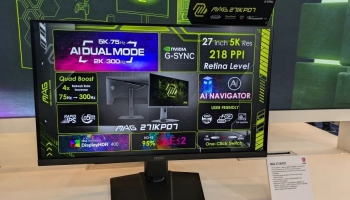
The monitor’s 5120 x 2880 native resolution isn’t particularly common in the gaming world. Most 5K displays have targeted creative professionals who prioritize pixel density for photo editing and design work. Apple’s Studio Display and LG’s UltraFine models deliver this resolution, but they’re locked at 60Hz. The XG27JCG takes that same pixel count and triples the refresh rate to 180Hz (with overclocking).
At 27 inches, this resolution produces 218 pixels per inch. That’s identical to what you’ll find on productivity-focused 5K monitors, making text impossibly sharp and individual pixels essentially invisible at normal viewing distances. You’d need to get very close to discern individual pixels on this screen.
However, Windows scaling becomes practically mandatory here. Running 5K at 100% scaling on a 27-inch panel shrinks UI elements to near-illegibility (for the same reasons). Most users will need 125-150% scaling, which still preserves the sharpness benefits while keeping text readable. It’s the same trade-off faced by anyone using a 4K display at 27 inches, just amplified.
Dual-Mode: Two Monitors in One
The XG27JCG’s dual-mode capability switches between 5K at 180Hz and QHD (2560 x 1440) at 330Hz. Unlike simply dropping resolution in Windows, proper dual-mode monitors use separate EDID tables that let your PC recognize each mode as a distinct native resolution. The result? Pixel-perfect integer scaling with zero blurriness when switching to 1440p.
Since 1440p is exactly half of 5K both horizontally and vertically (2560 is half of 5120, and 1440 is half of 2880), the monitor can display four 1440p pixels using each 5K pixel group. This produces a genuinely native 1440p image without the softness you’d normally get from non-integer scaling.
ASUS isn’t the first to implement dual-mode technology. We’ve seen multiple new releases only recently from AOC, Acer, Gigabyte, and others. What sets the XG27JCG apart is the combination of ultra-high pixel density with truly fast refresh rates in both modes. You’re getting desktop clarity that rivals dedicated productivity monitors while maintaining competitive gaming capabilities when you flip the switch.
The GPU Requirement Catches Eyes
ASUS specifies that running 5K at 180Hz requires either an NVIDIA RTX 50-series GPU or an AMD Radeon RX 7600 or higher. This restriction surprised many observers since it excludes the RTX 4090, currently one of the most powerful consumer graphics cards available.
The limitation comes down to bandwidth. Running 5K at 180Hz with full 10-bit color and HDR requires roughly 48 Gbps of bandwidth. RTX 40-series cards use DisplayPort 1.4a with Display Stream Compression (DSC), but ASUS apparently decided this combination doesn’t provide adequate stability at these settings. The RTX 50-series supports DisplayPort 2.1, which offers substantially higher bandwidth headroom. AMD added DP 2.1 support with its RX 7000 series, explaining why the RX 7600 makes the compatibility list.
On the other hand, a mainstream GPU like the RX 7600 is wholly inadequate to run games at native 5K resolution, and the same can be said for faster mid-range GPUs from the 50-series and Radeon 9000 series.
The 1440p 330Hz mode should work with a much wider range of hardware since it requires significantly less bandwidth than the 5K mode.
How It Compares
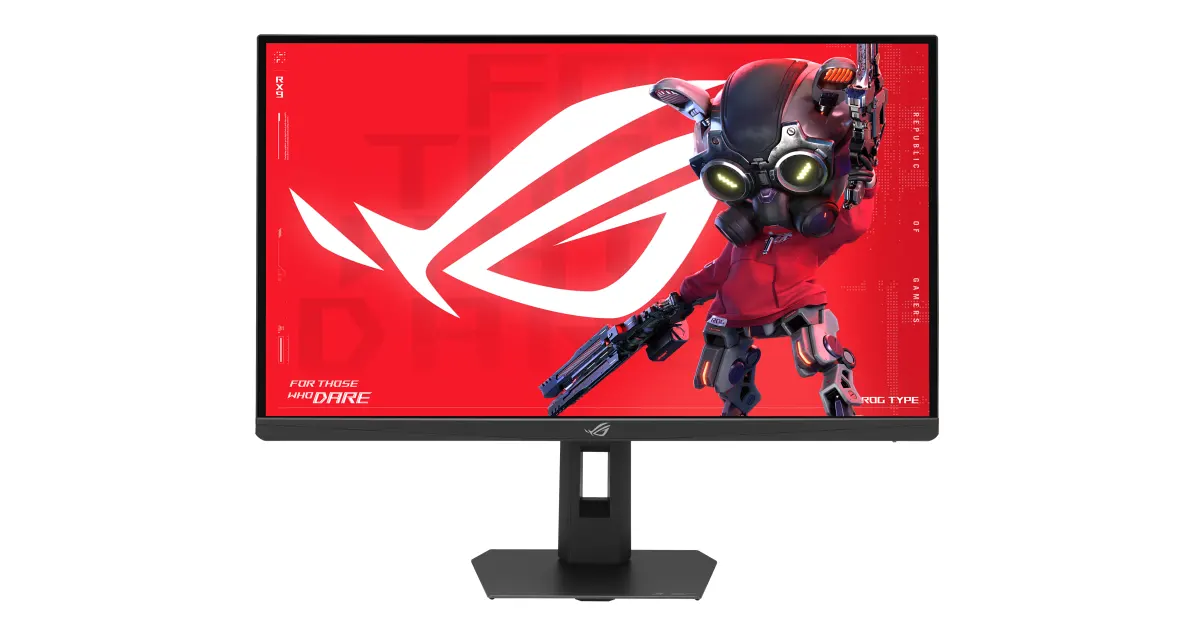
The 5K monitor landscape remains relatively sparse in the gaming sector. Most 5K displays prioritize productivity over refresh rates:
| Monitor | Size | Resolution | Refresh Rate | Panel Type | Price (USD) |
|---|---|---|---|---|---|
| ASUS ROG Strix XG27JCG | 27" | 5120 x 2880 | 180Hz (5K) / 330Hz (QHD) | Fast IPS | ~$835 |
| Apple Studio Display | 27" | 5120 x 2880 | 60Hz | IPS | $1,599 |
| LG UltraFine 27MD5KL | 27" | 5120 x 2880 | 60Hz | IPS | ~$1,300 |
| BenQ PD2730S | 27" | 5120 x 2880 | 60Hz | IPS | ~$850 |
| ASUS ProArt PA27JCV | 27" | 5120 x 2880 | 60Hz | IPS | $800 |
Among dual-mode gaming monitors, the XG27JCG sits at a unique position with its 5K primary resolution:
| Monitor | Size | Primary Mode | Secondary Mode | Panel Type | Price (USD) |
|---|---|---|---|---|---|
| ASUS ROG Strix XG27JCG | 27" | 5K @ 180Hz | QHD @ 330Hz | Fast IPS | ~$835 |
| ASUS ROG Strix XG27UCG | 27" | 4K @ 160Hz | FHD @ 320Hz | Fast IPS | ~$800 |
| ASUS ROG Swift PG32UCDP | 32" | 4K @ 240Hz | FHD @ 480Hz | WOLED | ~$1,300 |
| Dell Alienware AW2725QF | 27" | 4K @ 180Hz | FHD @ 360Hz | IPS | ~$800 |
| LG UltraGear 45GX950A | 45" | 5K2K @ 165Hz | WFHD @ 330Hz | WOLED | ~$1,700 |
The XG27JCG essentially splits the difference between productivity 5K monitors and gaming-focused 4K displays. You’re paying a premium over standard 4K gaming monitors but getting significantly higher pixel density. Compared to other 5K monitors, you’re trading away some of the professional features (hardware calibration, wider color gamuts) for much higher refresh rates.
Full Specifications
| Specification | Detail |
|---|---|
| Panel Size | 27 inches |
| Panel Type | Fast IPS |
| Native Resolution | 5120 x 2880 (5K) |
| Pixel Density | 218 PPI |
| Refresh Rate (5K) | 180Hz (overclocked) |
| Refresh Rate (QHD) | 330Hz (dual-mode) |
| Response Time | 0.3ms G2G |
| Peak Brightness | 600 nits |
| Typical Brightness | 350 nits |
| HDR Support | DisplayHDR 600 |
| Color Gamut | 97% DCI-P3 |
| Bit Depth | 10-bit |
| Adaptive Sync | G-Sync Compatible, FreeSync Premium |
| Motion Blur Reduction | ELMB 2, ELMB Sync, Variable Overdrive |
| Inputs | 1x DisplayPort 1.4, 2x HDMI 2.1, USB-C (15W PD) |
| USB Hub | Yes (USB 3.2 Gen 1) |
| Stand Adjustments | Height, tilt, swivel, pivot |
| VESA Mount | 100 x 100mm |
| GPU Requirements (5K 180Hz) | NVIDIA RTX 50-series or AMD RX 7600+ |
| Price (Hong Kong) | HKD 6,500 (~$835 USD / £625 GBP) |
| Expected Global Launch | CES 2026 (January) |
The XG27JCG uses a Fast IPS panel rather than OLED technology. ASUS’s OLED gaming monitors achieve 0.03ms response times, but the XG27JCG settles for 0.3ms gray-to-gray. That’s still exceptionally quick for an LCD panel and should minimize ghosting even at high refresh rates.
Fast IPS panels use physical design improvements to accelerate liquid crystal transitions. They don’t match OLED’s instantaneous response, but they avoid OLED’s potential burn-in concerns entirely. For a monitor with this resolution that you might use for productivity work with static elements, that trade-off makes sense.
The monitor includes ELMB 2 (Extreme Low Motion Blur 2) technology, which uses a dual-backlight design with two LED strips and ten backlight zones. Unlike traditional ELMB that disables VRR, ELMB Sync allows backlight strobing to work alongside G-Sync and FreeSync. Variable Overdrive automatically adjusts pixel overdrive settings based on current frame rates.
Who Should Consider This Monitor?
The XG27JCG targets a specific user profile. You’ll benefit most if you’re planning to upgrade to a high-end RTX 50-series card or already have a high-end AMD counterpart. Also if you regularly switch between productivity work and gaming, you value text clarity and desktop sharpness, and you have the desk space.
The sweet spot likely includes gamers who also do creative work, enthusiasts building around next-gen GPUs, and anyone who’s been frustrated by the productivity-or-gaming choice when selecting a 27-inch monitor. If you’ve ever wished your 4K gaming monitor had sharper text, or your 5K productivity display could handle fast-paced games, the XG27JCG directly addresses that gap.